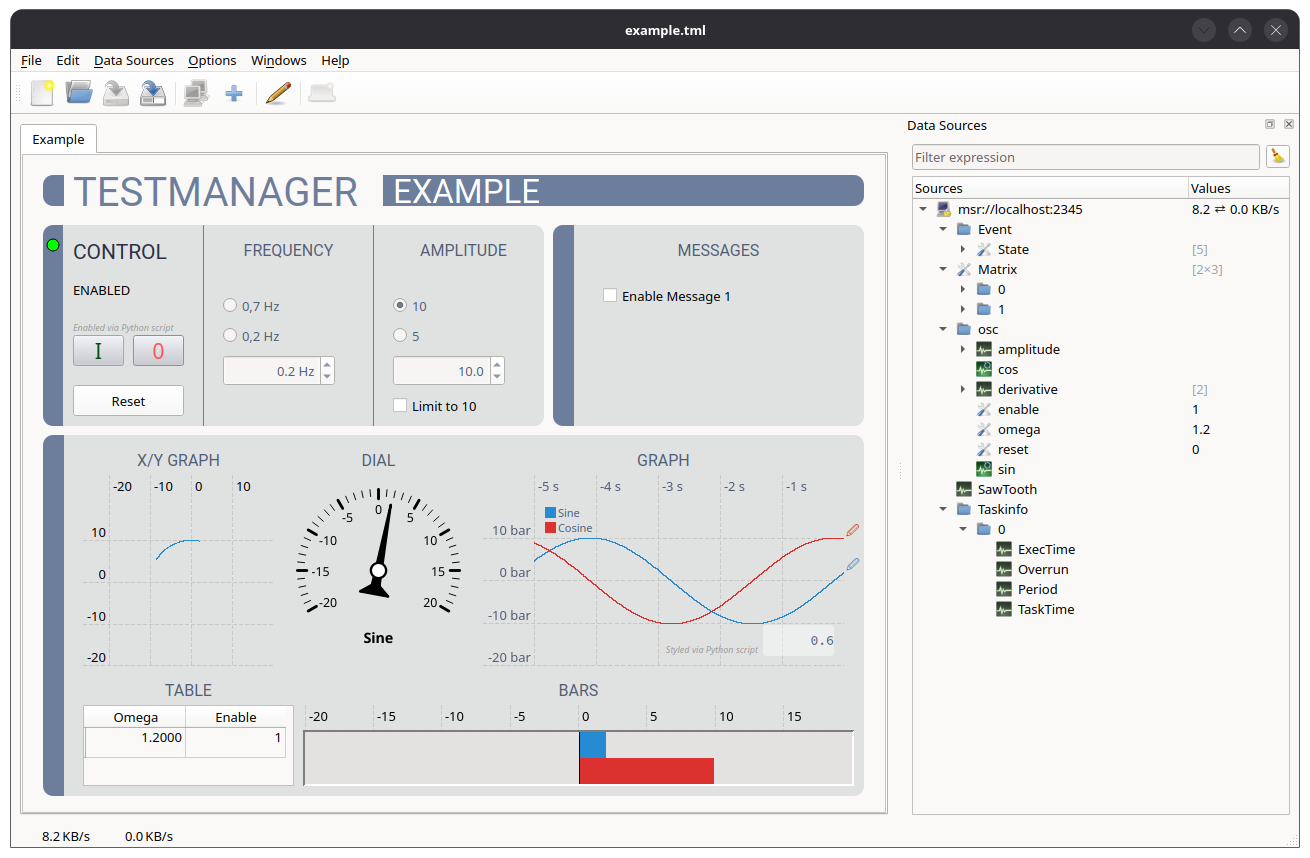
Testmanager is a graphical application for visualising and changing the signals and parameters of EtherLab control processes. It connects to one or more processes via the MSR protocol, using the PdCom library on the client side and PdServ on the process side.
The signals and parameters of the connected processes are listed in a tree. They can be linked to operating and visualisation widgets (bar graphs, dials, LEDs, time graphs, buttons, input fields, ...) simply by dragging them onto the widgets. In this way, an operator interface is created without programming. The arrangement of the widgets is stored in a layout file.
Further features include:
Tip
Many topics of this manual are also covered by short videos.
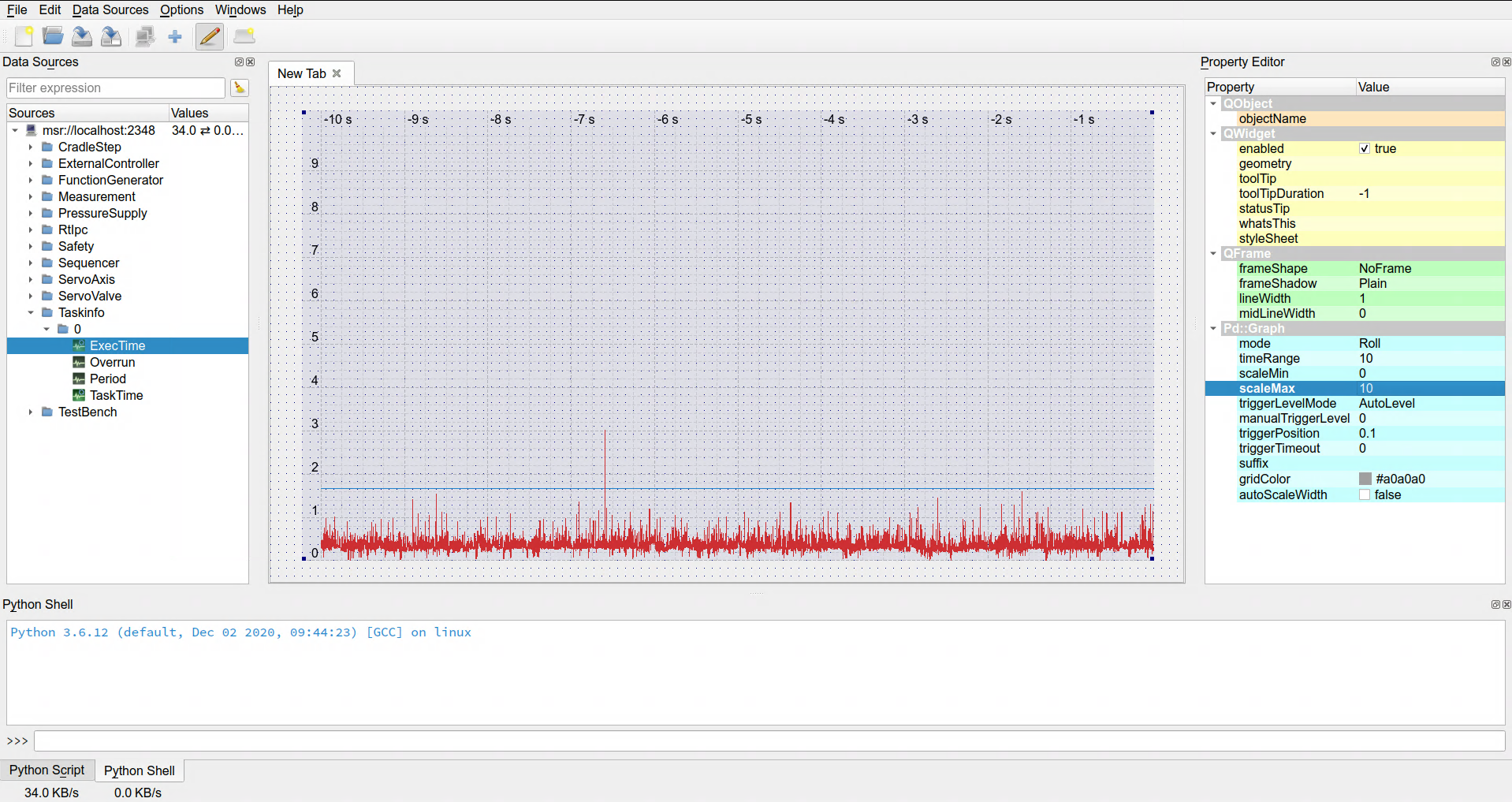
The main window consists of the following areas:
The Windows menu shows or hides the individual docks and the tool bar.
The status bar shows the total network throughput of all data sources, received data on the left and sent data on the right. The throughput of a single data source is displayed in the Values column of the data source tree.
