Packages for several distributions are provided via the openSUSE Build Service. They pull in the required libraries PdCom, QtPdCom and QtPdWidgets automatically.
The package also registers the MIME type for layout files
(*.tml) and a desktop entry, so layout files can be opened
by double-clicking them in a file manager.
Add the EtherLab RPM repository:
sudo zypper ar \
    https://download.opensuse.org/repositories/science:/EtherLab/15.6 \
    etherlab
You are now asked, if you trust the repository key. Then install Testmanager and the PdServ example (later used for demonstration):
sudo zypper in pdserv-example testmanager-ngAdd the EtherLab repository to sources.list:
export KEYRING=/usr/share/keyrings/etherlab.gpg
export REPO=https://download.opensuse.org/repositories/science:/EtherLab/Debian_13
curl -fsSL "$REPO/Release.key" | gpg --dearmor | sudo tee "$KEYRING" >/dev/null
echo "deb [signed-by=$KEYRING] $REPO/ ./" \
    | sudo tee /etc/apt/sources.list.d/etherlab.list > /dev/null
sudo apt-get update
Then install Testmanager and the PdServ example (later used for demonstration):
sudo apt-get install libpdserv3-example testmanager-ngFor Windows, Testmanager is provided as a ZIP archive, which can be downloaded from GitLab.
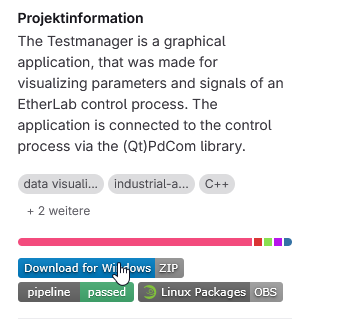
Therfore go to GitLab and click on the blue "Download for Windows" button:
There is no installer. Instead you can just extract the downloaded archive and start the binary from the extraxted folder:
testmanager.exe from the extracted
directory.Important
Do not start testmanager.exe directly from within the
ZIP archive. Testmanager needs the other files of the archive
(libraries, bundled Python), which are only available after
extracting.
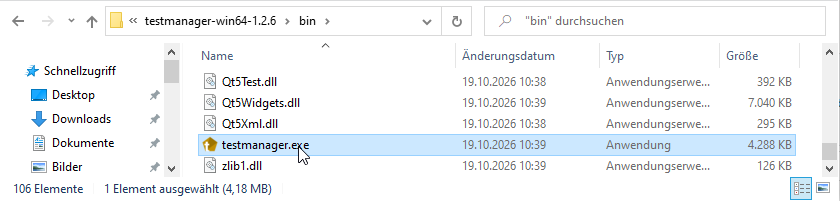
You can the for example create a shortcut by dragging the binary
(testmanager.exe) to your desktop with the right mouse
button.
Note
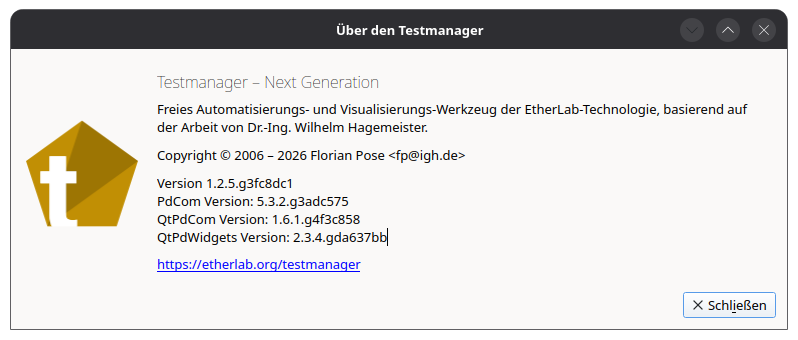
If Testmanager fails to start, an error message is displayed. Please include its text, together with the version from Help → About Testmanager, in any support request.
See the README.md
file in the source tree for build instructions.
testmanager [OPTIONS] [LAYOUT]| Option | Description |
|---|---|
LAYOUT |
Layout file (*.tml) to load on startup. |
-c, --connect |
Connect immediately and try to stay connected. |
-n, --new |
Start with an empty layout. |
-h, --help |
Print usage information. |