A data source is a control process that provides signals and parameters via the network. In order to connect to it, it needs to offer a protocol that is supported by the PdCom library (for example the MSR protocol). A typical data source is a real-time application built with PdServ, for example a Simulink model generated with EtherLab or a C/C++ application using the PdServ library.
Tip
If PdServ is installed, the command pdserv-example-st
starts a small example process that can be used to try out all features
described in this manual. See the example chapter for a
complete walk-through.
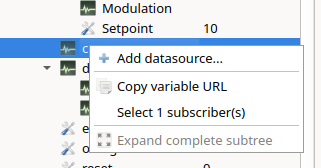
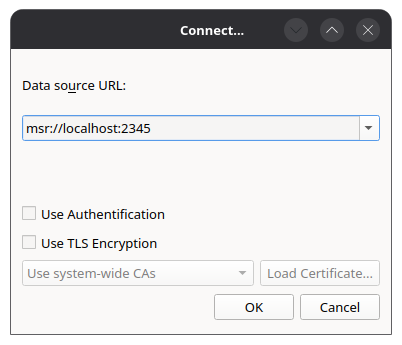
Select Data Sources → Add data source... or right-click into the data source tree and select Add datasource.... Enter the URL of the process:
| URL scheme | Default port | Description |
|---|---|---|
msr:// |
2345 | Unencrypted connection |
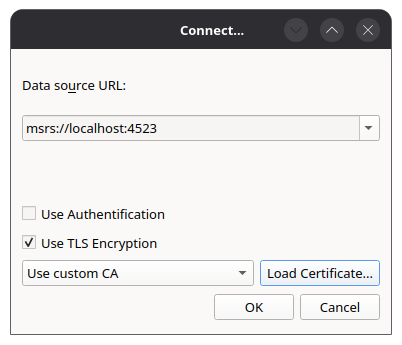
msrs:// |
4523 | Connection encrypted via TLS |
For example, msr://localhost connects to a process on
the local machine. Process variables are referenced by URLs of the form
msr://host:port/path/to/variable.
For encrypted connections, the server certificate can either be ignored or verified against a custom CA certificate. These settings are stored per host and port.
The context menu of a data source offers the following actions: Connect, Disconnect, Login, Logout, Remove, Replace..., Show messages... and Configure messages....
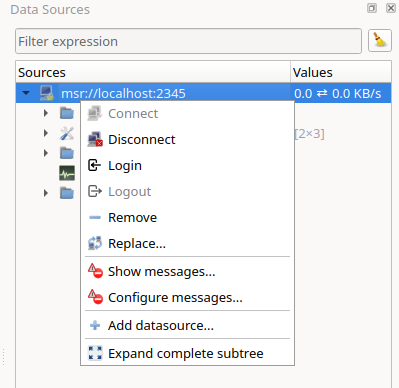
Data Sources → Connect to data sources connects all data sources referenced in the current layout.
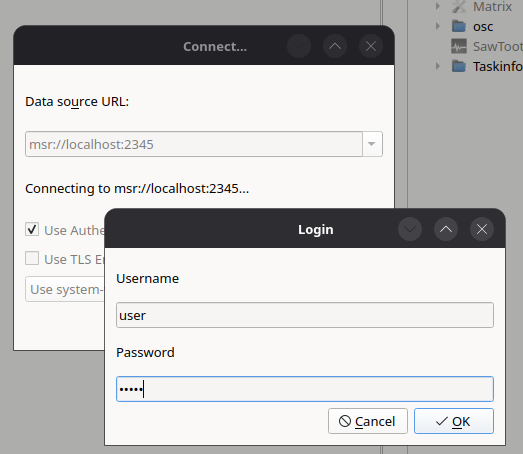
If the process requires authentication, select Login from the context menu of the data source and enter user name and password.
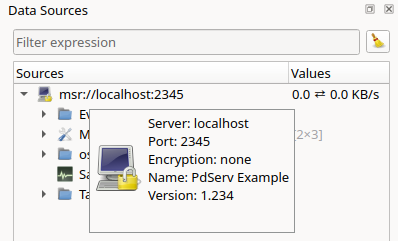
After connecting, the Data Sources dock shows a tree of all signals and parameters of the process.
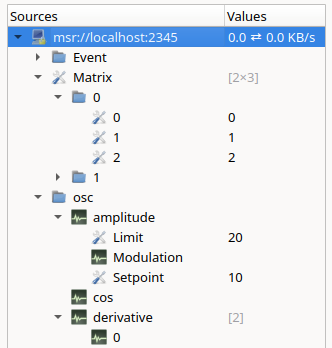
The icon in front of a variable shows its kind:
| Icon | Meaning |
|---|---|
 |
Signal, currently not subscribed |
 |
Signal, subscribed periodically |
 |
Signal, subscribed event-based |
 |
Parameter |
Each variable has a sample time. The value 0
means that the variable is not sampled periodically, but transmitted
event-based, i.e. only when its value changes. Parameters are
always event-based.
Important
Within one connection to a process, a signal can be transmitted
either event-based (period 0) or periodically
(period > 0). Therefore use either event-based or periodic
transmission consistently for a signal.
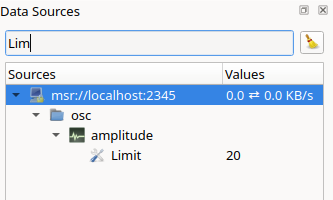
A filter expression above the tree limits the displayed variables.
The context menu of a variable offers: