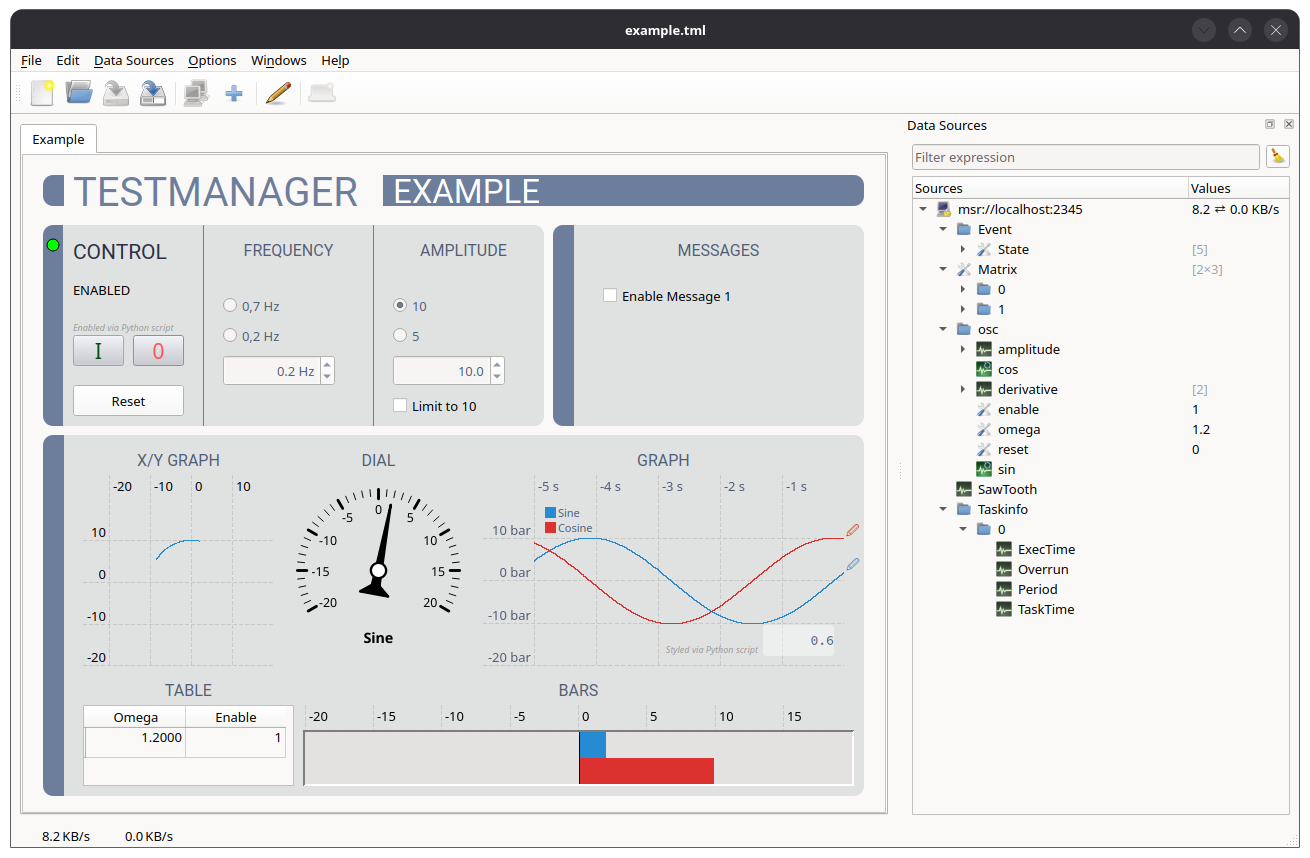
Testmanager comes with an example layout, which is designed for the example process of PdServ. It demonstrates most of the features described in this manual and is a good starting point for own layouts.
Start the PdServ example process (only available on Linux):
pdserv-example-stThen open the example layout via File → Load.... It
is installed as share/testmanager/example.tml, on Linux
usually at the path below. Alternatively, pass it on the command
line:
testmanager --connect /usr/share/testmanager/example.tmlThe layout refers to the data source
msr://localhost:2345. If the example process runs on
another machine, use Replace
data source.
/osc/enable parameter. The two push buttons
I and 0 switch it on and off. They are
enabled and disabled by Python scripts depending on the current value,
so only the meaningful button can be pressed. Reset
sets the /osc/reset parameter./osc/omega./osc/amplitude/Setpoint. The check box sets
/osc/amplitude/Limit./Event/State, which makes the process emit a message, see
Messages./osc/sin and /osc/cos. The graph shows a
legend with the aliases Sine and Cosine and a digital
display of the current value./osc/omega and /osc/enable.The example also contains several techniques, which are worth a closer look in edit mode:
Stylesheets: The global stylesheet defines the colours and fonts of the whole layout. See Stylesheets.
Dynamic properties: A script sets the property
negative depending on the sign of the sine signal, which is
evaluated by a stylesheet rule:
def update():
    widget.setProperty('negative', sin.getValue() < 0)
Moving widgets: The pens at the right edge of
the graph follow the current values. Their scripts change the
geometry property:
def update():
    widget.setProperty('geometry',
        (820, 410 - sin.getValue() * 4.3, 20, 20))
See Python Scripts for details.